Tailor-made solutions inside your Autodesk products
Jose Luis Baquero Rivera · Senior Consultant, AI Solutions
My job is solving problems: AI agents and automations that live inside
Vault, Inventor, AutoCAD and Forma to make your processes more
efficient — fewer clicks, fewer errors, fewer wasted hours.
“My purpose is to serve people by solving problems.”
Technology — with or without AI — is the means. The real work is making processes more efficient and removing friction from engineering teams' day-to-day.
The proof
What I've built
Real work, in production or in active development. Every project was born from a concrete problem faced by teams who live inside Autodesk every day.
01 — FLAGSHIP PRODUCT
VaultPilot
In partnership with Avant Leap
The AI brain for Autodesk Vault Professional
The problem: product data management (PDM) burns hours in repetitive clicks. The solution: the first native AI agent for Vault Professional 2026, turning natural language into precise, audited operations.
28 production tools across 9 categories: search, lifecycles, properties, bulk operations, BOM, ECOs, jobs, ERP and XLSX/PDF/CSV reports
9 anti-hallucination safety layers: dry-run with confirmation, validation against the live Vault schema, write verification, hard limits and full auditing
Every chat runs with the user's own credentials — Vault keeps enforcing its permissions, no admin backdoors
3 surfaces: chat panel inside Vault Client + native add-ins for AutoCAD 2026 and Inventor 2026 (iProperties sync)
Pre-release audit: validates a complete assembly in seconds instead of 20 minutes of clicking
.NET 8 + Vault SDK 2026 stack — on its way to the Autodesk App Store
02 — AI IN INVENTOR
AI Design Assistant
From Chat to CAD — tell Inventor what to build, and it builds it
The problem: hours of repetitive modeling. The solution: an AI assistant embedded in Inventor 2026 that generates parametric parts and assemblies from natural language.
Conversational assistant inside the Inventor interface, working on the active model
Parametric parts and assemblies generated from natural-language instructions
.NET add-in with Content Center and assembly-template integration
Replicable pattern: the same architecture can automate any design workflow in Inventor
03 — DATA AUTOMATION
Content Center + Piping
Thousands of families and styles, managed from Excel and code
The problem: managing Content Center by hand doesn't scale. The solution: a suite that exports, edits and creates families and piping styles in bulk.
Vault Explorer add-in that exports complete Content Center libraries to Excel, using the client's already-authenticated session
Inventor add-in that mass-creates Tube & Pipe styles from an Excel configuration file, resolving components against Content Center families
Content Center Smart Editor: tools to edit, populate and fix families at the XML level, with backups and logs for every operation
Real-world case: migration and standardization of conduit and piping libraries across Inventor versions
04 — AUTODESK FORMA
Forma as a CDE
Real project-information governance, at infrastructure scale
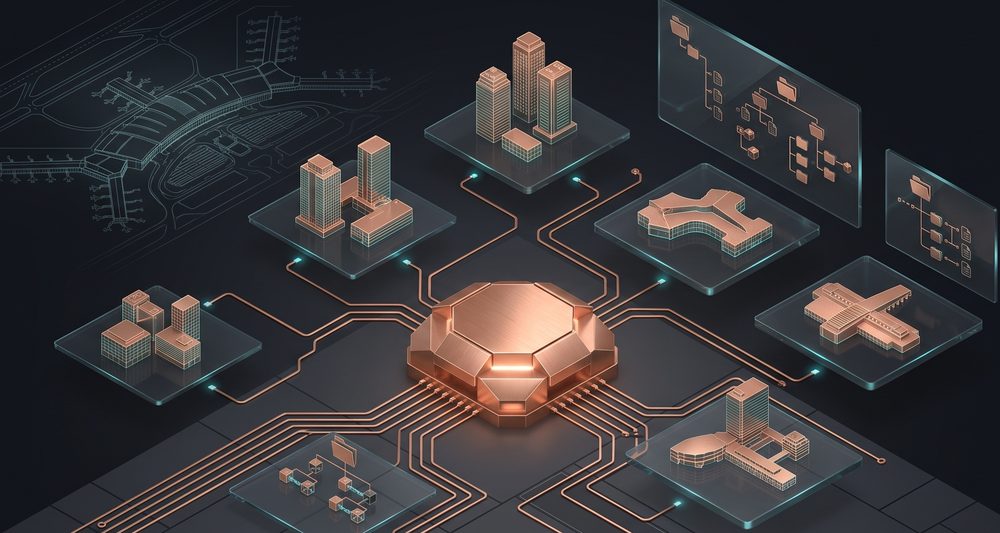
The problem: large projects without a single source of truth. The solution: Autodesk Forma configured as a Common Data Environment for a large-scale airport infrastructure program.
Design of the hub's master template: replicable projects with validated configuration
Folder structure, permission levels and inheritance in Docs; modules enabled by role
Attributes, metadata and naming aligned with ISO 19650
Review and approval workflows, issues, forms, model coordination and cost management
Change governance: test hub → validation → source of truth → replication to the production template
The validation
Autodesk put it on their stage
Don't take my word for it: Autodesk selected this architecture for its flagship technical event. Speaker at Autodesk University 2026.
Las VegasSeptember 15–17, 2026Track Design & ManufacturingTechnical Deep Dive · 60 min
Official AU 2026 session
Vault Meets AI: Automating Lifecycle, Revisions, Content Center, and ERP with Intelligence
How to connect AI to the Autodesk Vault API to automate the full PDM spectrum: properties, lifecycles, revisions, approvals, Content Center and ERP sync — with an agent architecture and a live demo.
Documented result: up to 70% less PDM administrative overhead
Same stack · Inventor + AI
From Chat to CAD — design assistants inside Inventor
Inventor API + MCP + LLM architecture to run design commands from natural language.
Same stack · Structural design
From Specs to Shop Drawings — industrial structures with AI
A pipeline from natural-language specs to a documented model with shop drawings.
The service
Solving problems. That's the service.
Sometimes the answer is an AI agent; sometimes it's a well-built add-in, a simple automation or a clean implementation. The starting point is always the problem, never the tool.
Core service
Tailor-made solutions — with and without AI
I build the tool your operation needs and the market doesn't sell: add-ins, automations and integrations on top of Vault, Inventor, AutoCAD and Forma. When AI adds value, I integrate it with safety and auditing; when it doesn't, I don't force it.
Process diagnosis: where time is lost, where errors happen, what can be automated
Native .NET add-ins for Vault, Inventor and AutoCAD, built on the official Autodesk SDKs
AI agents where they add real value: dry-run, per-user permissions and full auditing
Automation without AI when that's the right call: iLogic, scripts, Excel and ERP integrations
Delivered with documentation, training and support — solutions that get used, not shelved
Inventor
Implementation · Support · Training · iLogic
Setup and tuning, engineering-team training and design automation with iLogic: rules, smart templates and configurators. Documentation and GD&T best practices.
Vault
PDM · Lifecycles · Roles · Content Center
Product data management implementation: revisions and versioning, role-based access control, and connected data across AutoCAD, Inventor and office documents.
AutoCAD
Implementation · Support · Training
Technical support and implementation for users and companies, plus 2D drafting and documentation training — the gateway to the rest of the Autodesk portfolio.
Fusion
Cloud CAD/CAM · Manufacturing
Implementation, support and training for cloud-connected design and manufacturing, for teams stepping up to integrated product development.
Autodesk Forma
CDE · ISO 19650 · Governance
Forma configured as a Common Data Environment: project templates, permissions, naming standards, review workflows, model coordination and cost management.
Nastran for Inventor
FEA Simulation · Implementation · Training
Implementation and training in finite element analysis inside Inventor: structural validation of parts and assemblies before manufacturing, integrated into the design workflow.
PowerMill
CAM · Machining · Implementation · Training
Implementation and training in high-speed and 5-axis CNC programming: machining strategies for molds, dies and complex-geometry components.
Plant 3D
Process plants · Implementation · Training
Implementation and training in plant design: P&IDs, spec-driven pipe modeling, and construction-ready orthographics and isometrics.
Alias
Class-A Surfaces · Implementation · Training
Implementation and training in high-quality surface modeling for industrial and automotive design: from design intent to engineering-ready surfaces.
Revit · BIM
BIM Modeling · Implementation · Training
Implementation and training in multidiscipline BIM modeling: families, templates and coordinated documentation — connected to Forma as the Common Data Environment.
Technical presales
Demos · Scoping · Closing
Sales support with technical demos, needs assessment and well-scoped proposals that turn opportunities into closed deals.
The full Autodesk portfolio — implementation, support, training and custom development, with a single point of contact.
Diagnosis
Current-workflow assessment, technical demos and a business case with numbers.
Execution
Implementation, configuration or custom development, with documented deliverables.
Adoption
User training and ongoing support so the solution actually gets used.
Expansion
New opportunities on top of what's built: more automation, more reach.
Does one of these look like your process? Tell me about it on WhatsApp and we'll diagnose it together.
No middlemen, no forms: the person who diagnoses the problem, builds the solution and answers the WhatsApp is the same one.
Jose Luis Baquero Rivera
Autodesk Expert · AU 2026 Speaker · Dual MBA
I've spent more than a decade solving problems in the Autodesk ecosystem — first implementing and selling it, now extending it with artificial intelligence. I founded asistIA to build AI agents, and today I build AI solutions for Autodesk products as a Senior Consultant at Avant Leap.
I work from Colombia for LATAM and globally remote, in Spanish and English. My purpose is the one you read above: serving people by solving problems.
+200%
Revenue and prospect-connection growth reported by a client.
— Public LinkedIn recommendation
The next step
Let's talk about your case
An AI agent on Vault or Inventor, automating a workflow that hurts today, or end-to-end Autodesk services. Tell me about your case and I'll come back with a concrete plan.
WhatsApp
The fastest channel. Message me directly and we'll set up a diagnostic call.